
Trading partner EDI — requirements & onboarding

Choose the trading program or service provider. These guides show what official public sources confirm, what must come from the current buyer packet, how to validate safe samples, and where QuickBooks, pricing, or trial fits — without invented retailer requirements.
Official sourcesBuyer-packet checklistsNo fixed-timeline guesses

Verify before you start

HIPAA safeguards, BAA availableAudit trailsSOC 2

Definition

SignalEDI
SignalEDI is an EDI and API integration platform that gets suppliers ready for trading-partner mandates. This hub routes SMB teams to program-specific integration guides with source-visible facts, current-packet questions, document planning, pricing, and self-serve evaluation paths.

Key takeaways

  • Priority retailer guides separate public source facts from questions that only the current buyer packet can answer.
  • No universal certification timelines: partner access, test cases, queue, and written approval control production.
  • Move from partner context to the requirements checker, document tools, QuickBooks paths, pricing, and trial.

Quick answer

What trading partner EDI requirements does SignalEDI cover?

SignalEDI publishes mandate guides for major retail, marketplace, and healthcare buyers — typical X12 documents, onboarding windows, and self-serve paths so suppliers can prepare mapping and validation before partner approval finishes.

More trading partner questions →

Need a migration plan too? Use the switching checklist or review compliance guidance for teams without IT.

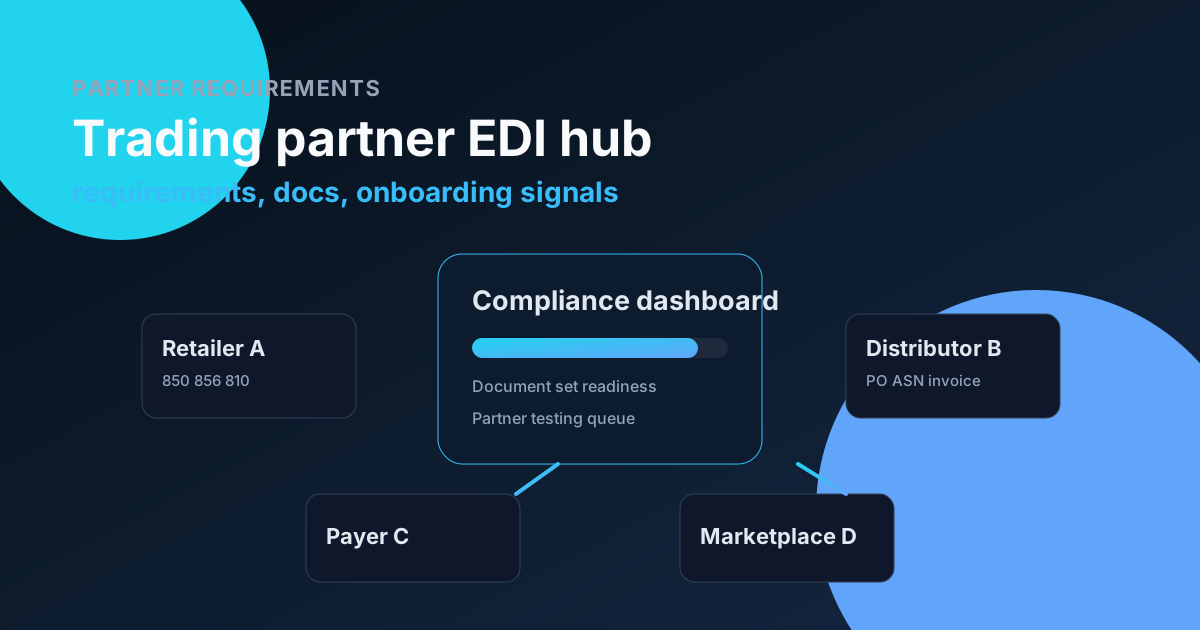
Trading partner requirements visual

Retail & marketplace

  • Albertsons EDI

    Separate Albertsons warehouse, manufacturing-ingredient and direct-store-delivery traceability workflows before choosing an ASN map.

  • Amazon Seller Central EDI

    Treat Amazon Seller Central as a marketplace order and fulfillment integration, with current SP-API version planning, fulfillment ownership and package-level shipment reconciliation.

  • Amazon Vendor Central EDI

    Build Amazon Vendor Central around the assigned procurement or Direct Fulfillment program, with complete order acknowledgements and a separate record of shipment, invoice and processing outcomes.

  • Amazon.ca EDI

    Plan an Amazon.ca integration around the Canadian store and your actual Seller or Vendor program. Separate retail purchasing, Direct Fulfillment and marketplace selling before mapping orders, shipping information or invoices.

  • Amazon.co.uk EDI

    Scope an Amazon.co.uk connection by UK store, business relationship and fulfillment program. Build reliable order, shipment and invoice controls without importing another country's or another Amazon program's assumptions.

  • Amazon.com.au EDI

    Prepare an Amazon.com.au integration with explicit Australian store routing, program eligibility and fulfillment ownership. Connect the right order and financial workflow rather than cloning a North American or European setup.

  • ASDA EDI

    Separate ASDA resale, non-resale and George supplier entry paths, then confirm the assigned current EDI account instead of inheriting Walmart-era identifiers or treating product discovery as technical approval.

  • BJ's Wholesale EDI

    Prepare BJ's invoice and shipment references from your current supplier agreement, not a generic retail transaction list.

  • Booker Wholesale EDI

    Plan a Booker Wholesale connection around buying entity, orders, deliveries and invoice ownership. Separate inbound supply from customer ordering. These advisory checks are neither a message specification nor production approval.

  • Boots UK EDI

    Scope Boots UK onboarding around the account, order and invoice requirements, and current Supplier Manual. Distinguish retail supply, direct customer fulfillment and promotional funding. These advisory exercises establish neither certification nor a launch date.

  • Bunnings EDI

    Align Bunnings purchase orders, delivery dockets, electronic invoices and item units before goods arrive, with a clear separation between document identifiers and physical barcode requirements.

  • Canadian Tire EDI

    Plan Canadian Tire's electronic trading alongside product setup and transportation, with a clear distinction between forecast information, commercial orders, shipping-origin requirements and product-content systems.

  • Coles EDI

    Separate Coles merchandise, non-resale purchasing, random-weight invoicing and delivery standards so the chosen electronic workflow matches both the commercial account and the goods actually supplied.

  • Costco EDI

    Start Costco setup with the buyer-issued materials and a reliable connection between product, order, and shipment identities. Public intake pages are useful starting points, but do not replace the technical packet. The exercises here are practical recommendations, not Costco-mandated certification scripts.

  • Costco Canada EDI

    Prepare Costco Canada from the Canadian buying relationship and assigned fulfillment program, keeping regional account details, warehouse versus online scope and invoice assumptions separate from U.S. examples.

  • Dollar General EDI

    Scope Dollar General by vendor class and delivery route before selecting electronic documents, then reconcile orders, warehouse evidence and invoices without applying one rule to every supplier.

  • H-E-B EDI

    Start with the correct H-E-B supplier program and application: onboarding, authentication and non-resale purchasing are separate functions.

  • Home Depot EDI

    Start Home Depot onboarding with the correct supplier relationship, then obtain the current technical and shipping packet for that program instead of assuming every supplier uses the same portal or document set.

  • Kroger EDI

    Choose your Kroger group. Preserve references. Track acceptance and traceability notices separately. These exercises are practical advice, not mandated certification scripts.

  • Loblaw Companies EDI

    Prepare Loblaw Companies orders around the actual delivery responsibility, portal status and shipment evidence, so an electronic ASN does not hide an unresolved pickup or late-delivery exception.

  • Lowe's EDI

    Separate Lowe's supplier registration, merchandise EDI and third-party Marketplace participation, then build the assigned order-to-invoice workflow from current supplier materials.

  • Meijer EDI

    Confirm Meijer's assigned EDI or Web Forms route and current authenticated guide before mapping corporate purchase-order workflows.

  • Metcash EDI

    Distinguish Metcash's Food and Liquor supplier relationships, Sorted delivery workflows and ChargeThrough invoice route before treating every independent-retail order as one EDI program.

  • Metro Inc. EDI

    Identify the Canadian Metro Inc. food or pharmacy business, provincial delivery flow and approved supplier account before selecting message formats or automating invoice reconciliation.

  • Morrisons EDI

    Prepare a Morrisons supplier connection around the buying entity, delivery evidence and agreed invoice ownership. Keep product and packaging data separate from transaction messages. These advisory exercises do not establish retailer approval.

  • pOpshelf EDI

    Plan pOpshelf as a specifically identified supplier program within Dollar General's business, with confirmed buyer instructions and separate treatment of assortment, delivery and invoice decisions.

  • Publix EDI

    Use Publix's current product-supplier guidance to distinguish grocery document pairs, DSD workflows and transactions that are not in use.

  • Sainsbury's EDI

    Use the Sainsbury's supplier relationship and Together With document access to establish the right grocery or fresh-food scope before configuring technical messages, receiving references and invoice exceptions.

  • Sam's Club EDI

    Distinguish Sam's Club replenishment from SamsClub.com DSV. Reconcile inventory and fulfillment. These exercises are practical advice, not retailer-mandated certification scripts.

  • Sobeys EDI

    Scope Sobeys integration around the local or broader supply agreement, banner, region and delivery model before turning a Canadian product listing into an automated order-to-invoice process.

  • Sysco Canada EDI

    Plan Sysco Canada supplier trading and payment reconciliation around the Canadian operating company and the assigned invoice channel, keeping SPIRIT visibility separate from EDI submission.

  • Target EDI

    Choose the Target commercial program before building the document flow. Public supplier information confirms EDI purchase-order capability, while account-specific instructions must settle the technical details. The following readiness checks and exercises are practical advice, not Target-mandated certification scripts.

  • Tesco EDI

    Prepare Tesco UK trading by connecting approved product and case data to the assigned commercial account, while keeping product induction, compliance access and EDI production approval separate.

  • UNFI EDI

    Start UNFI integration with the purchasing entity and supplier policies that govern the order, then connect item, shipment and invoice evidence without mixing U.S., legacy or Canadian program requirements.

  • Walmart EDI

    Build Walmart EDI compliance readiness around the correct banner, shipments, and response handling. Use the packet for technical details. These exercises are practical advice, not Walmart-mandated certification scripts or evidence of approval.

  • Walmart Marketplace EDI

    Build Walmart Marketplace order operations around the seller's market and fulfillment model, with explicit acknowledgement, line-level shipping and a separate path for Walmart Fulfillment Services.

  • Wayfair EDI

    Choose Wayfair's EDI or API path for the actual supplier operation, with clear inventory ownership, parcel or freight handling, and a deliberate boundary between supplier dropshipping and CastleGate.

  • Wesfarmers EDI

    Treat Wesfarmers as a group-level starting point, then identify the operating business and supplier account that actually owns your order, invoice and technical trading requirements.

  • Woolworths Group EDI

    Use Woolworths Group's Australian delivery-category matrix to distinguish distribution-centre, direct-to-store and fresh-produce trading before selecting messages or testing shipment data.

Commerce & fulfillment platforms

Choose the platform and retailer program together. A guide is not proof of partnership, certification or production approval.

  • Logicbroker EDI and API integration

    Prepare your retailer's Logicbroker workflow from your existing business system. Confirm mapping scope, connector availability and current operating status before testing or go-live.

  • Mirakl marketplace and API integration

    Planning a Mirakl EDI integration starts with identifying the marketplace, your seller or operator role, and the systems that own orders, stock and fulfillment. Mirakl provides marketplace software and Mirakl Connect provides multichannel seller capabilities; neither name describes a universal EDI specification. This guide helps teams scope interfaces, document responsibilities and prepare acceptance evidence before connecting an ERP, warehouse or order-management system. It is integration-planning guidance, not confirmation of a live SignalEDI connector, Mirakl certification or marketplace approval.

  • Radial EDI

    Prepare your retailer's Radial dropship workflow from the current onboarding packet. Confirm document scope, business-system availability and partner approval separately, and review the current production-delivery pause before planning go-live.

  • Shopify EDI

    Use Shopify's order, fulfillment-order and inventory model as the commerce side of an EDI bridge, while keeping each wholesale partner's document contract and warehouse responsibilities explicit.

Healthcare billing & procurement

  • Anthem EDI

    Identify the Anthem state and line of business first, then align the Availity route, payer guidance and separate claims, ERA and EFT arrangements for the actual provider relationship.

  • Bupa EDI

    Prepare Bupa UK provider billing around the recognised provider's agreement, the appropriate electronic billing channel and current procedure rules. Providers Online and supported practice software are the public starting points. This guide does not establish a US X12 requirement, a SignalEDI integration or Bupa approval. Its scenarios are advisory planning exercises.

  • Cardinal Health EDI

    Plan Cardinal Health commercial EDI and serialized product data as related but separate workflows, with clear business-unit scope and a defensible process for discrepancies.

  • Cencora EDI

    Build Cencora manufacturer and drop-ship workflows around the assigned commercial maps, customer destination and serialized-data delivery path, with separate evidence for each.

  • Cigna EDI

    Use Cigna's current transaction companion guides to separate claim corrections, transmission retries and response stages, while checking plan scope and actual clearinghouse availability.

  • CVS EDI

    Choose the CVS supplier program before mapping invoices and shipments, then verify pack-size arithmetic, application advice and the match between ASN identifiers and physical labels.

  • Humana EDI

    Plan Humana billing around the actual state, product and provider type, with distinct claim routing, remittance delivery and payment-administration responsibilities.

  • McKesson EDI

    Scope McKesson procurement by business unit and trading role, then reconcile orders, physical product and serialized traceability without confusing distribution EDI with insurance claims.

  • Medibank EDI

    Plan Medibank claiming by service category and provider arrangement. Hospital and medical ECLIPSE workflows differ from ancillary and non-resident pathways. Confirm the current channel and agreement. This guide does not establish SignalEDI integration, Medibank approval or permission to handle patient information; its exercises are advisory.

  • Medicare Australia EDI

    Plan Australian Medicare claiming around Services Australia's Medicare Online and ECLIPSE channels, compatible practice software, and the applicable registration process. This is a public planning guide, not a US Medicare companion guide or evidence that SignalEDI has an approved connection. The scenarios below are advisory exercises, not official integration tests.

  • NHS Supply Chain EDI

    Scope NHS Supply Chain procurement by ordering direction and fulfilment route, then preserve product, location and order references across Peppol, eDirect and billing processes.

  • Sun Life EDI

    Choose the Canadian Sun Life provider workflow before planning electronic claims. Sun Life Connect supports eligible paramedical services, while Sun Life Direct serves oral health providers. Confirm the account, specialty and benefit plan rather than importing a US claims matrix. This guide and its advisory scenarios do not establish a SignalEDI connection, insurer approval or permission to process patient data.

  • TELUS Health EDI

    Scope the Canadian TELUS Health product before planning claims exchange. Allied-health eClaims, insurer-facing Claims Exchange and clinical software are different offerings. Match the participating insurer, provider and supported workflow to current documentation. The following preparation and advisory scenarios do not establish SignalEDI partnership, certification, production access or an approved patient-data workflow.

  • UnitedHealthcare EDI

    Scope UnitedHealthcare EDI by plan, payer route and transaction purpose, with separate evidence for technical receipt, claim acceptance, adjudication and remittance delivery.

Shipping and logistics

  • Australia Post EDI

    Plan Australia Post shipping integration around the eligible contract account and the Shipping and Tracking API workflow. Separate label generation, order lodgement, physical handover and tracking instead of presenting a generic retail EDI document matrix.

  • DHL UK EDI

    Choose the DHL business unit before designing a UK carrier connection. DHL Express, DHL eCommerce UK and DHL Freight publish different shipping and billing interfaces, so account scope matters more than a shared brand or generic EDI label.

  • FedEx EDI

    Plan FedEx US parcel billing EDI separately from shipment creation, tracking and customs-document services. Match the account, carrier service and invoice workflow before choosing a transaction set or making a readiness claim.

  • Purolator EDI

    Connect Purolator Canadian shipping and accounts-payable workflows with a clear boundary between E-Ship EDI and E-Ship Web Services. Choose the needed invoice, status and shipping functions instead of assuming every interface is one package.

Industrial supplier programs

  • BHP Supplier Network EDI

    Plan Australian BHP supplier transactions around the assigned SAP Business Network relationship, order type and settlement method. Distinguish supplier onboarding, goods receipts, service claims and invoicing before choosing an EDI or cXML route.

  • Ford Motor Company EDI

    Plan Ford supplier EDI around the assigned US program, plant and GSDB identity. Separate connection management, document acknowledgement and plant visibility so a delivered file is not mistaken for a completed manufacturing transaction.

  • Magna International EDI

    Prepare Magna supplier integration for the specific Canadian receiving division and plant. Align electronic demand and shipment records with packaging, labels and local requirements instead of treating Magna's global footprint as one technical contract.

  • Rolls-Royce EDI

    Scope a Rolls-Royce supplier connection by purchasing entity, business unit and assigned digital process. Keep access, procurement transactions, engineering records and quality evidence separate before selecting an EDI or portal workflow.

Evaluate without a sales call

Most buyers are not ready to buy on the first visit. Start with a free tool or requirement check — then trial when you are ready.

Trading partner EDI FAQ

What trading partner EDI requirements does SignalEDI cover?

SignalEDI publishes mandate guides for major retail, marketplace, and healthcare buyers — typical X12 documents, onboarding windows, and self-serve paths so suppliers can prepare mapping and validation before partner approval finishes.

How long does trading partner EDI onboarding take?

Your side can often reach partner-ready setup in days with self-serve mapping and validation. The trading partner's own certification and approval still follows their timeline — SignalEDI keeps readiness visible while you wait.

Can SignalEDI help with Walmart, Target, Amazon, or Shopify EDI?

Yes. Open the matching trading-partner guide for required documents and timelines, then start a trial to map, validate, and monitor those workflows without a mandatory sales demo for standard SMB plans.

Do I need a consultant to meet a retailer EDI mandate?

Most SMB suppliers can meet standard mandates with SignalEDI's self-serve onboarding, document guides, and validation. Complex enterprise procurements can still involve security review, but routine mapping and testing do not require a consulting project.

Start free trial — paste the mandate

Every evaluation path is the same product: open the free trial, paste the partner mandate, and Signal builds the integration. Business confirms only — never a second SEO console or app picker.

© 2026 SignalEDI Inc. All rights reserved.